OpenClaw - GUI Model Selector
TL;DR
A terminal user interface for switching AI models in OpenClaw without touching config files.
What it does
- Shows all your configured models in a visual list
- Pick one with arrow keys, hit enter
- Set fallback order visually
- No JSON editing, no remembering model strings
Why I built it
OpenClaw required editing config files to change models. I wanted the simplicity of OpenCode’s model picker. So I built it.
Tech stack
- Python with
richandtextual - Reads/writes OpenClaw’s
config.yamldirectly - Runs in terminal, stays lightweight
The details
A Visual Model Selector for OpenClaw
I was a novice and didn’t quite know what I was doing.
I’d been using OpenClaw for a while, but every time I wanted to change which AI model I was using, I had to dig into config files. Manually edit JSON. Remember the exact model string. Figure out the fallback order. Keep track of which short alias mapped to which long provider name.
It worked, but it felt wrong.
I’d seen how OpenCode does it - a beautiful, simple interface where you can see all your models, pick one, set fallbacks, done. Visual. Immediate. No file editing.
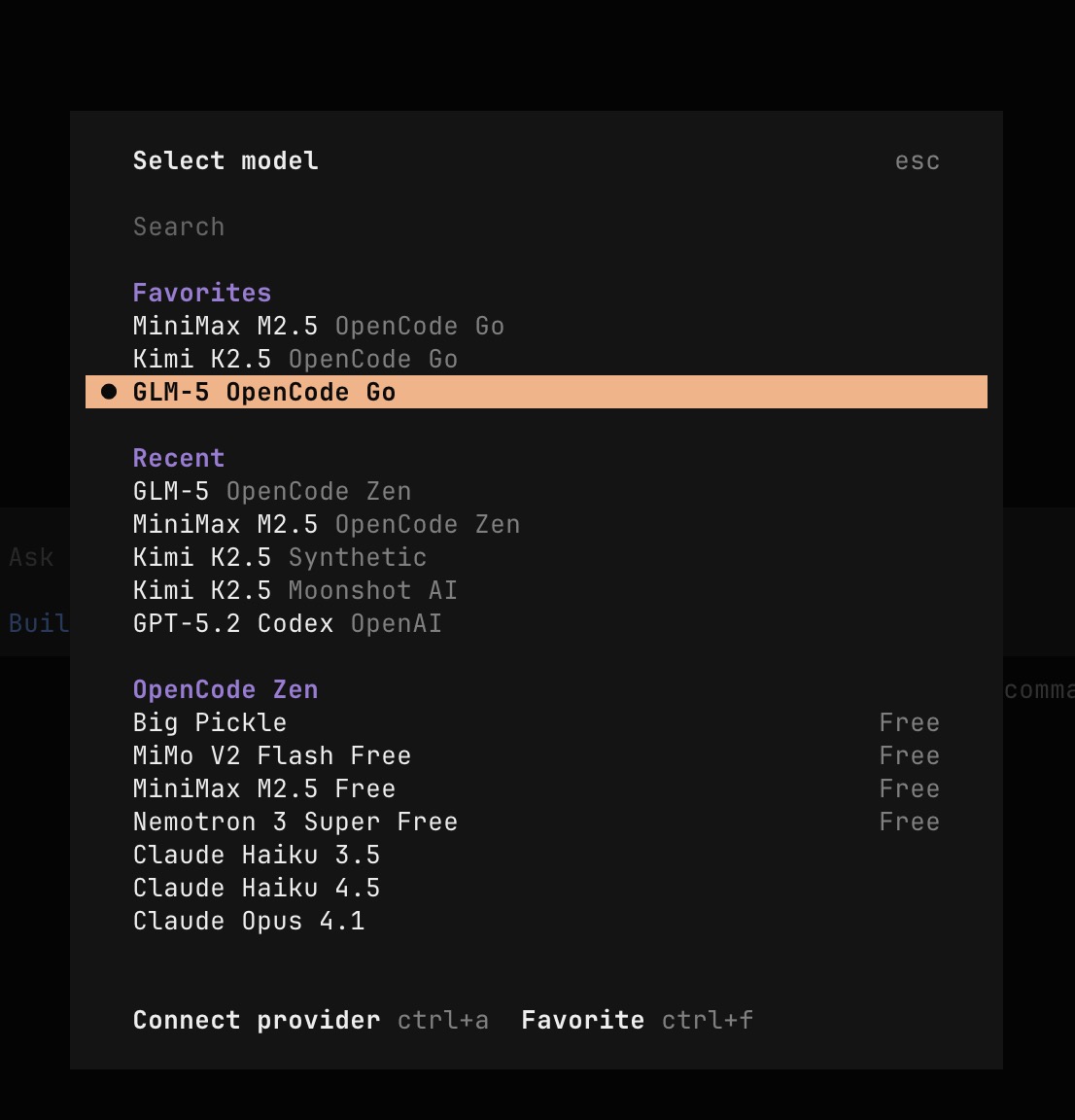
I kept wondering: why doesn’t OpenClaw have something like this?
So I tried to build it.
What I Actually Made
It’s a terminal user interface written in Python. Lightweight. Just code.
The screen shows you what models are available. You can quickly change the fallback order - which model to try if your first choice fails. You can set short aliases that make sense in chat (I type “sonnet” not “anthropic/claude-3-7-sonnet-20250219”). You can add new services without hunting through config syntax. Delete ones you don’t use.
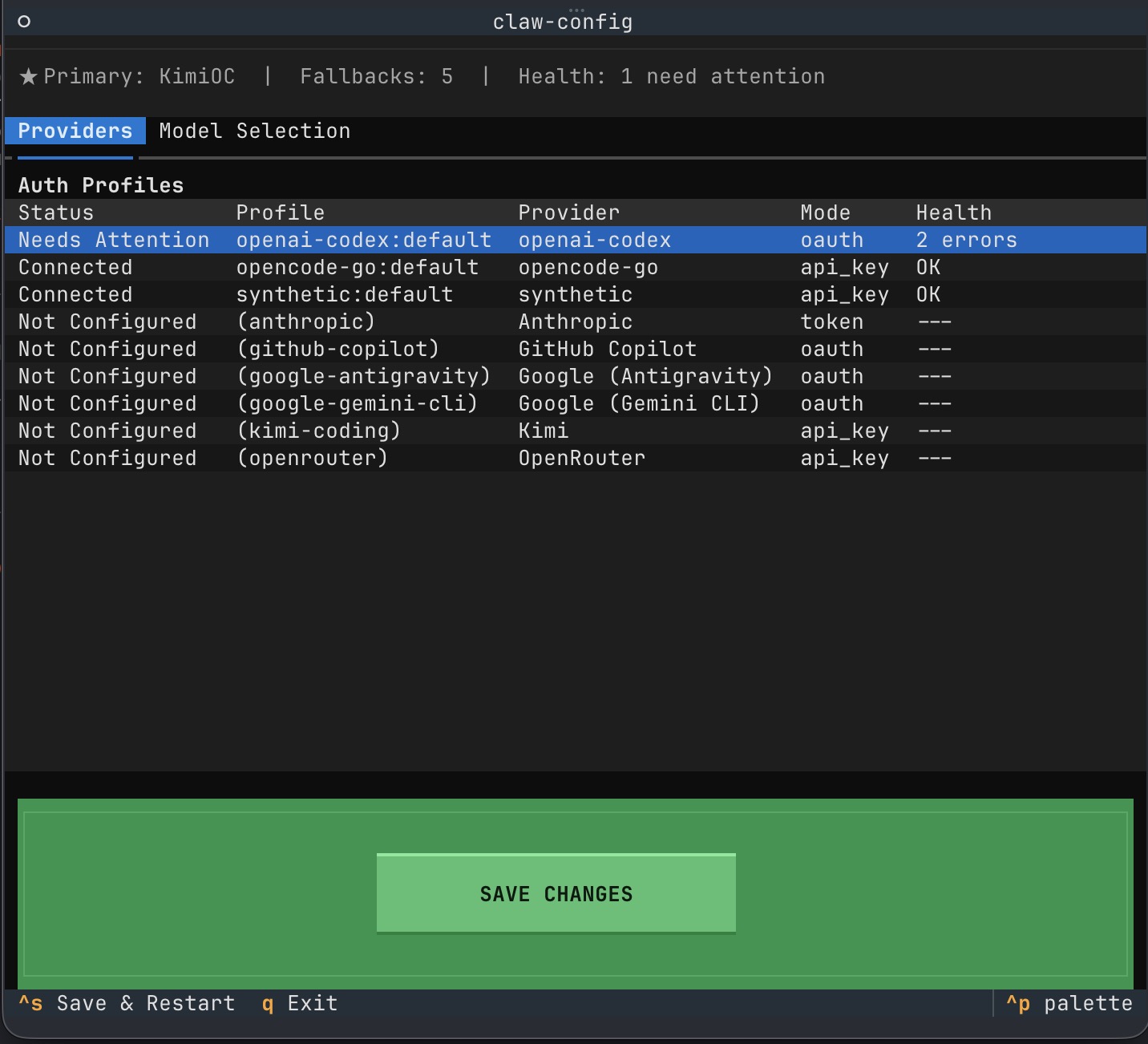
Because I’m a visual learner, this clicks for me in a way that config files never did. Being able to see all my options, reorder them on the fly, quickly rename them - this matches how I think about the system.
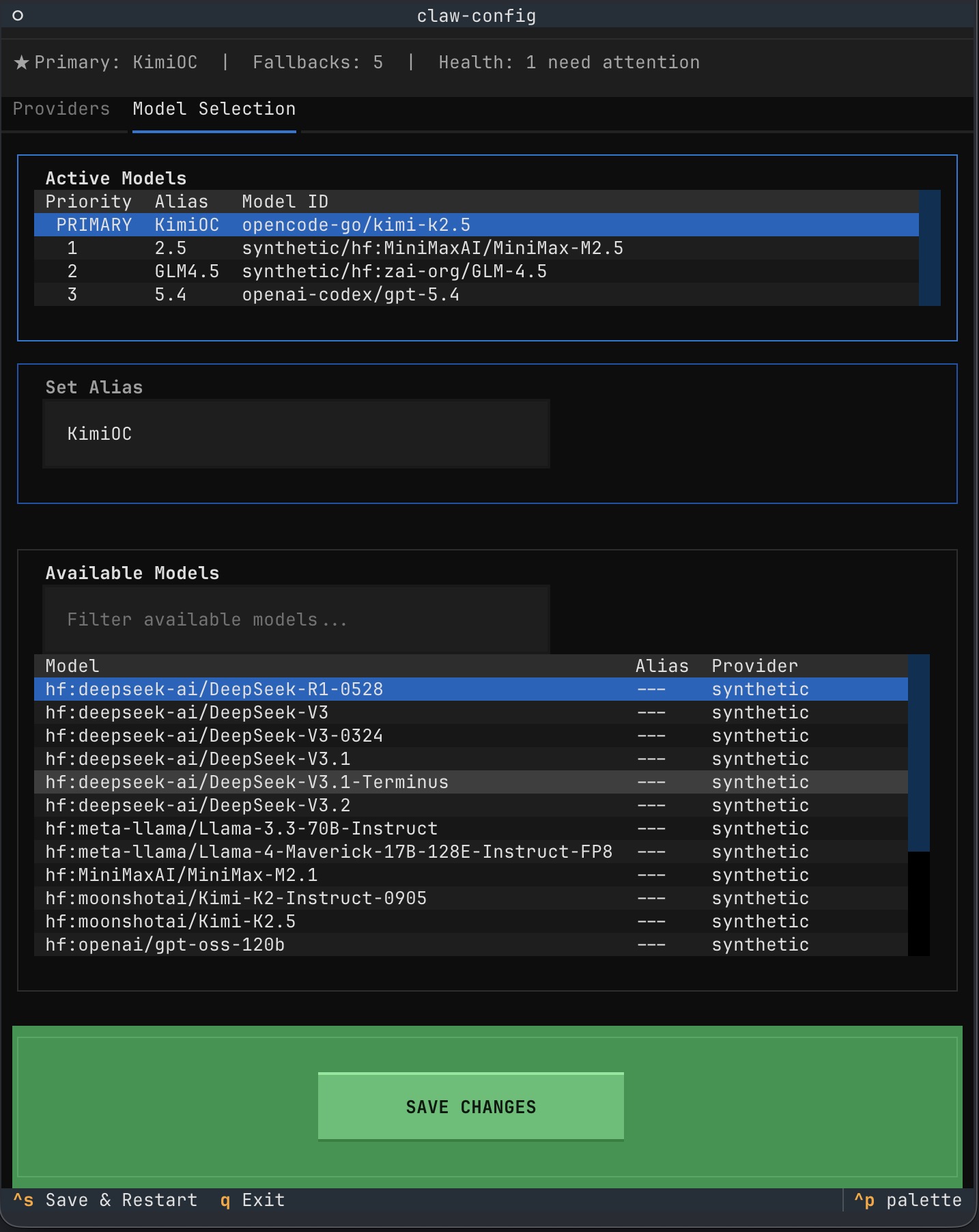
The Evolution
I started narrow. Just wanted to change fallback order and alias names. That was the first version.
Then I wanted adding services to be easier. The original OAuth flow meant navigating lists of every possible model across every provider. Tedious. So I made it visual - pick from what’s available, configure what you need.
Then I wanted deletion to be simple too. Remove what you don’t use. Keep it clean.
The tool grew to match my workflow, not the other way around.
Malleable Software
This is what Geoffrey Litt calls malleable software - tools users can shape, not sealed systems we merely consume.
The software we use usually comes fixed. The interface is the interface. If your mental model doesn’t match the developer’s, you absorb the friction. But AI systems create a rare chance to build tools users can actually reshape. The barrier between “using” and “modifying” gets thin.
I deliberately kept my tool simple. Python TUI. No complex architecture. No attempt to PR this into OpenClaw core - they’re good at that, and I’m basic. I just wanted something that worked the way my brain works.
The flexibility of malleable software is fantastic. Not because I want to be a developer. Because I want my tools to fit my workflow instead of bending my workflow to fit my tools.
Understanding What You’re Selecting
Making model selection easier is one thing. Knowing which model to choose is another.
I’ve found WolfBench useful here. It’s a benchmark for AI agents that goes deeper than single-score leaderboards. Instead of “Model X scored 42%,” it gives you five metrics: Ceiling (what’s theoretically possible), Best-of (peak performance), Average (what to expect), Worst-of (the floor), and Solid (what it always gets right).
This matters because model performance is a distribution, not a point. A model with a high average but wide variance might be frustrating in practice. One with a lower average but high “Solid” score might be more reliable for production work.
WolfBench tests 89 real-world tasks - sysadmin, DevOps, security, data ops - not toy puzzles. If you’re trying to decide which models to include in your fallback chain, having actual data on what they can do beats marketing claims.
What I Hope Happens Next
Honestly? I hope this becomes obsolete.
I hope the next version of OpenClaw just has this built in. Beautiful and simple, like OpenCode’s model integration. I didn’t want to create a whole system - I just wanted to solve my problem.
But the deeper thing I can’t unsee: software doesn’t have to be fixed. The interface can match the user. The tool can adapt. We can shape our systems instead of just using them.
That’s the opportunity. Not just for AI tools. For any software that claims to serve human workflows.
Build the thing you need. Keep it light. Let it evolve.